Check a backport against its source
A backport carries a change that already merged onto another branch. Revue compares it with the pull request it came from, so you can read only where the two differ and mark the rest viewed.
When Revue checks a backport
Section titled “When Revue checks a backport”Revue checks a pull request when you open it if:
- Check backports against their source is on in Settings › Diff and review. It’s on unless you turn it off.
- Its repository is one of the Repositories listed under it.
- It carries the Label set there,
backportunless you change it.
To find the source, Revue reads the backport’s description first: the lines a backport bot writes, then any line that
starts with “Backport”, “Backports” or “Backported” and names pull requests. If those find nothing, it tries a branch
named backport-<number>, then the (#number) in its commit messages. A backport can have several sources.
The line under the bar at the top then says what it found, for example:
- “Matches #2497.” The backport changes the same lines in the same way.
- “3 files differ from #2497.” Some files don’t match.
- “Same words as #2497, but the lines differ in 2 files.” The changes match, but in different places.
- “No source pull request found for this backport.” Choose one yourself (see below).
Only pull requests in the same repository are compared. A source in another repository is named, but not read.
Read the comparison
Section titled “Read the comparison”Choose Read differences on that line, press ⌥4, or choose View › Backport Comparison.
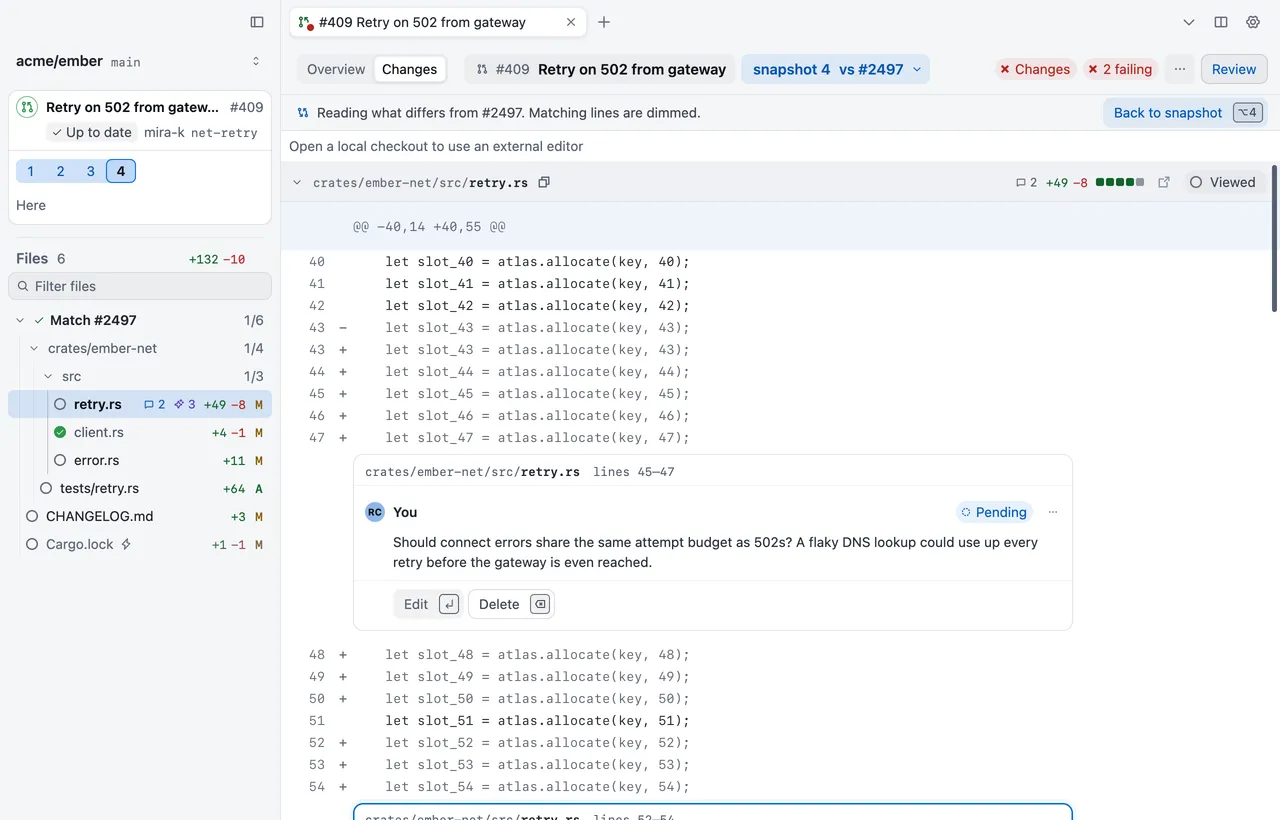
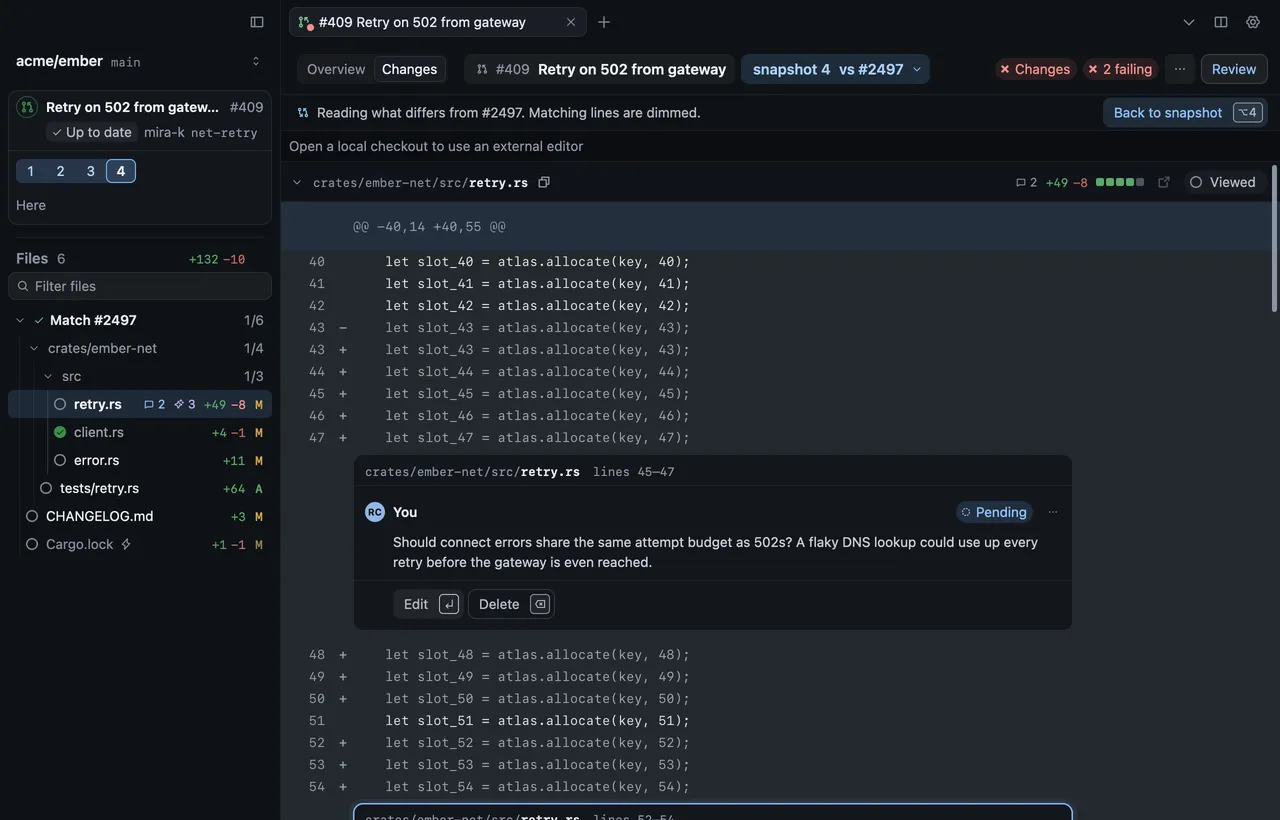
The diff stays the backport’s snapshot. Lines that match the source are dimmed, so what differs stands out. Line numbers, comments and viewed marks are the snapshot’s, so anything you do here is the same as on the snapshot. Press ⌥4 again, or choose Back to snapshot, to leave the comparison.
To read the source itself, choose Go › Open Backport Source.
Choose a different source
Section titled “Choose a different source”If Revue found the wrong source, or none:
- Choose View › Choose Backport Source, or Choose source in the snapshot menu.
- Type the source’s number or link. To name several, put commas between them.
- Choose Compare.
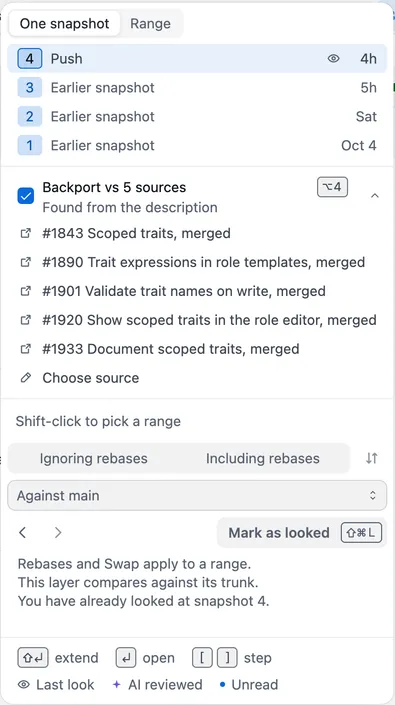
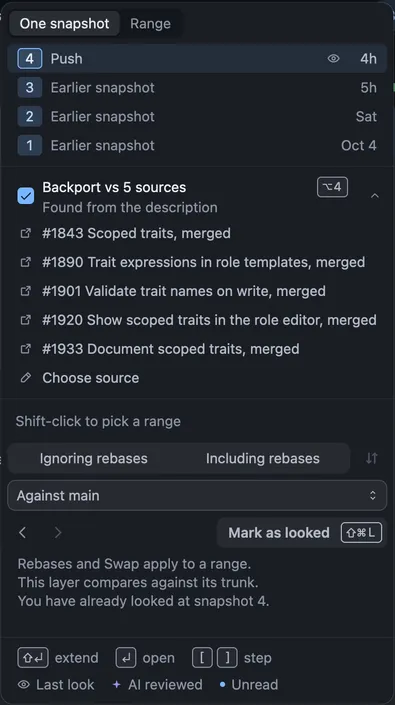
A source you choose is kept, and Revue doesn’t look for one again. Clear chosen source in the same sheet goes back to the one Revue finds. You can name up to 20 sources.
Mark matching files viewed
Section titled “Mark matching files viewed”Files that match the source don’t need a second read. Choose Review › Mark Matching Files Viewed to mark every one of them viewed at once. Revue never marks them by itself.
Settings
Section titled “Settings”| Setting | Where | Options | Default |
|---|---|---|---|
| Check backports against their source | Settings › Diff and review | On or off | On |
| Label | Settings › Diff and review | backport |
Repositories sits beside these in Settings › Diff and review. Put each repository as owner/repo. The
Settings reference lists its default.