Manage disk space
Revue keeps copies of the repositories and diffs you read so they open quickly. Settings › Storage shows how much space that takes, sets limits on it, and clears what Revue can fetch or work out again.
What uses space
Section titled “What uses space”Settings › Storage starts with a chart of everything Revue keeps on this Mac, in five parts:
- Repository mirrors: partial copies of the GitHub repositories you open pull requests from.
- Kept checkouts: whole checkouts of pull requests and folders, written out for Ask AI and AI review.
- Diff cache: diffs Revue has worked out, and its last copy of pull request threads and your Inbox.
- Other caches: syntax colouring, CI logs and images from comments and avatars.
- Your data and logs: the database with your snapshots, comments and review results, your drafts, themes and settings, and Revue’s log and crash reports.
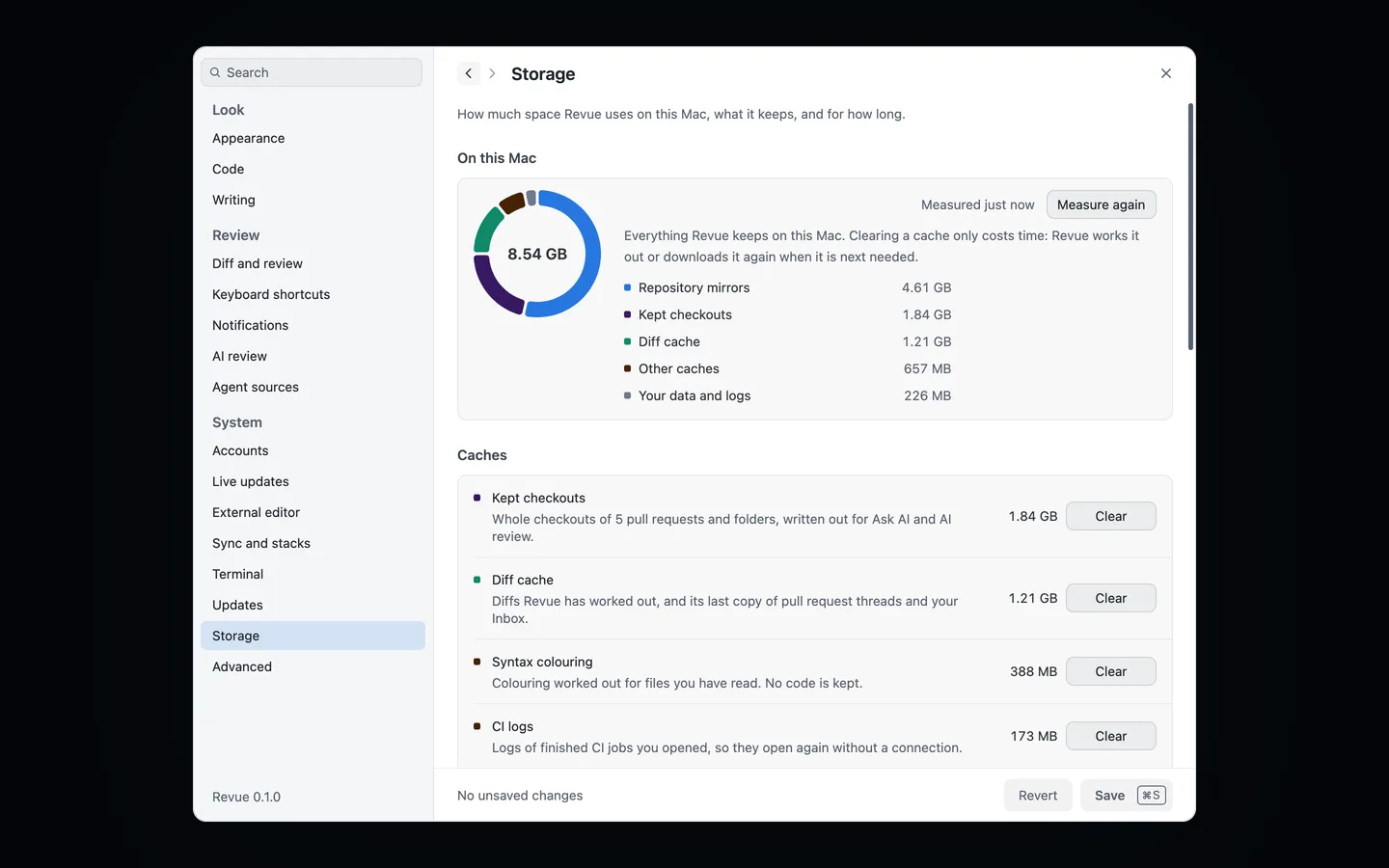
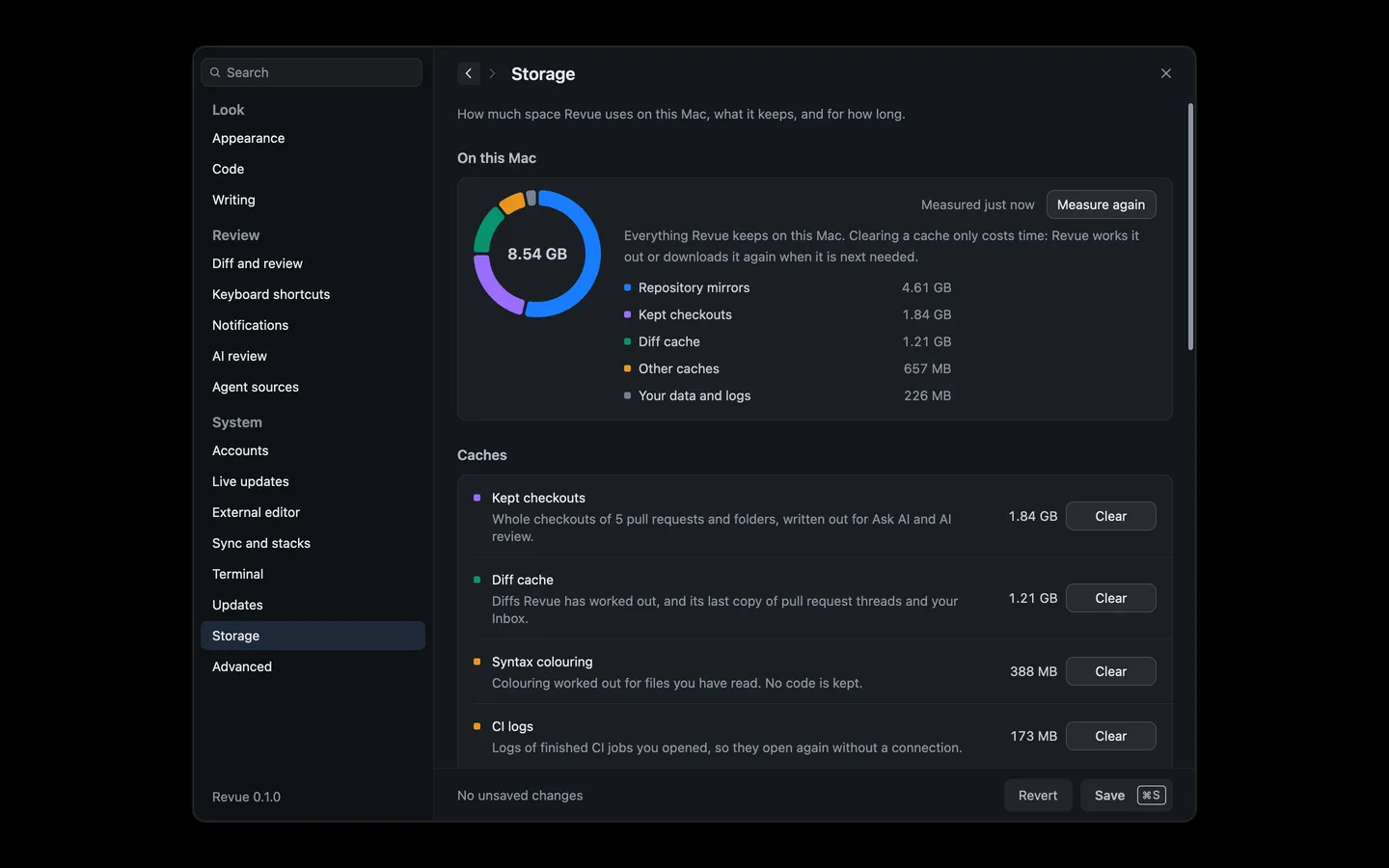
Under the chart, rows grouped as Caches, Repositories, Diagnostics and Your data give each kind its size and Show in Finder. Measure again measures them anew. Where each one lives is on Files and folders.
Limits
Section titled “Limits”Revue keeps the caches within these limits by itself. It removes what was read longest ago first, and never a checkout a tab has open.
| Setting | Where | Options | Default |
|---|---|---|---|
| Diff cache limit | Settings › Storage | 256, 512, 1000, 2000, 4000, 8000 | 512 |
| Keep checkouts for | Settings › Storage | 7 days, 14 days, 30 days, 90 days | 14 days |
| Checkouts limit | Settings › Storage | 1000, 2000, 5000, 10000, 20000 | 2000 |
| CI logs limit | Settings › Storage | 64, 128, 256, 512, 1000 | 256 |
| Remove unused mirrors | Settings › Storage | Never, After 90 days, After 180 days, After a year | Never |
A kept checkout also goes once its pull request is merged or closed. Removing a repository’s mirror means older snapshots of its pull requests may not open again.
- Caches: Clear on a cache row empties it at once. Clearing a cache never touches your reviews, comments or viewed marks, and only costs time, as Revue works it out or downloads it again when it’s next needed.
- Repository mirrors: Remove unused asks first, naming the mirrors no pull request has used within the limit above, and removes them.
- Logs and crash reports: Remove older removes the log from before and the crash reports, after asking.
Revue never clears your database, drafts, themes or settings. To start your settings again, use Reset all settings in Settings › Advanced. See Export and import settings.