Review your changes before you push
Read your own branch the way a reviewer will, before anyone else sees it: uncommitted edits, the whole branch, or only what changed since you last looked. Comments you leave here are notes for you or for a coding agent, and never reach GitHub.
Open your checkout
Section titled “Open your checkout”In Terminal, cd into the checkout and run revue. You can also choose File › Open Repository (⌘O)
and pick its folder, or choose it from File › Open Recent. The revue command comes from
Revue › Install Command Line Tool.
The tab opens on the branch you have checked out and follows it: when you switch branch, it asks before it moves. Choosing a checkpoint pins the tab where it is.
A branch and its pull request open in separate tabs. The branch tab shows what’s on your Mac, and the pull request tab shows what GitHub has.
Live, Uncommitted only and Since my last look
Section titled “Live, Uncommitted only and Since my last look”On a branch checked out on this Mac, the scope menu in the context bar starts with Live: the files as they are on disk right now, before you commit. Live has three views:
- Uncommitted only compares your working files with HEAD, so it shows only what you haven’t committed.
- Include branch commits shows everything since the branch left the trunk: its commits and your uncommitted changes together.
- Since my last look shows only what changed in your files since you last chose Mark as looked. A rebase starts it over, since a diff from before it would carry the trunk’s changes too.
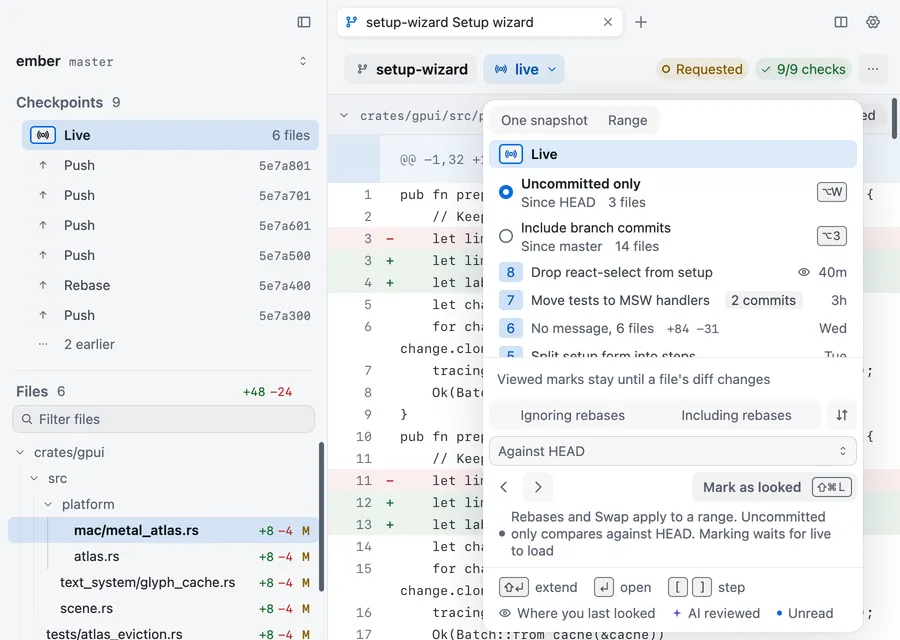
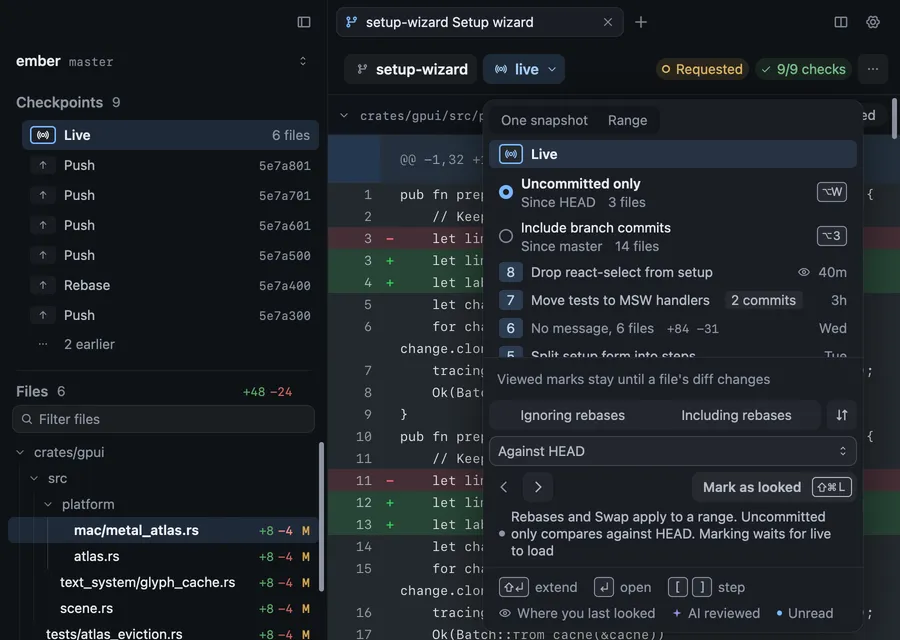
A branch with commits opens on Include branch commits, and one with no commits yet on Uncommitted only.
| Action | Key |
|---|---|
| Live | ⌥3 |
| Uncommitted only | ⌥W |
| Mark as looked | ⇧⌘L |
Viewed marks in Live stay until that file’s diff changes.
Checkpoints
Section titled “Checkpoints”On a local branch, snapshots are called checkpoints, and the sidebar lists them under Live. Checkpoints and agent sessions explains when they’re recorded.
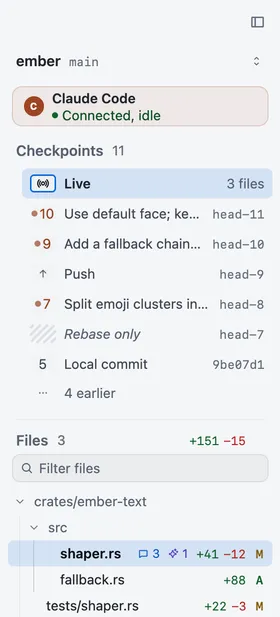
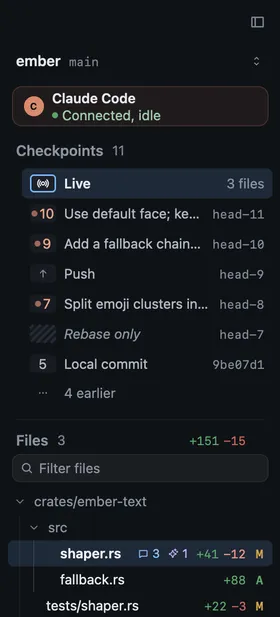
Pick one to read the branch as it stood then, or two to see what changed between them, as you would with a pull request’s snapshots.
Local comments stay on this Mac
Section titled “Local comments stay on this Mac”Comment on your own work as you would on a pull request: select a line and press C. On a branch, layer or working copy tab the comment is local. It stays on this Mac and never goes to GitHub, even when you push. Its card says Not sent, never Pending, because there’s no review to submit.
Resolving a local comment stays on this Mac too.
Hand comments to your agent
Section titled “Hand comments to your agent”If Claude Code or Codex is working in this checkout, it can read your local comments, change the code and reply in each thread. Send them with Send N to Claude in the context bar, or press ⌥⌘↩. The agent marks each one Addressed when it’s done, and you resolve it once you’ve checked.
Review Claude Code’s work and Use Revue with Codex cover each agent.