Export and import settings
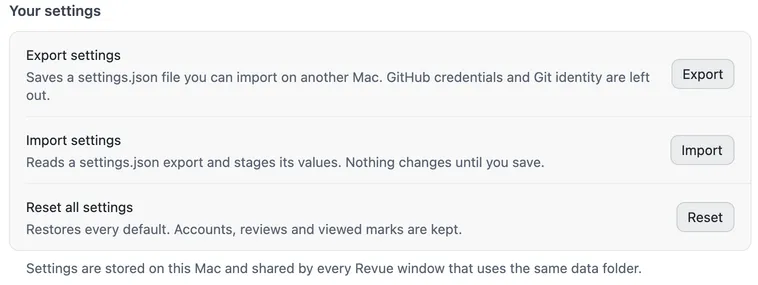
Your settings live on this Mac, in Revue’s data folder. To use the same themes, fonts, shortcuts and choices on another Mac, export them to a file and import it there. You can also put everything back to the defaults.
All three are under Your settings in Settings › Advanced.
Export
Section titled “Export”Choose Export beside Export settings, and pick where to save the file. Revue writes a settings.json with every
setting and shortcut. Your GitHub credentials and your Git identity are
left out.
Import
Section titled “Import”On the other Mac, choose Import beside Import settings and pick the settings.json. Revue reads it and stages its
values on each page, so you can look before anything changes. The footer counts the unsaved changes. Choose Save
(⌘S) to keep them, or Revert to drop them.
Choose Reset beside Reset all settings. Revue asks “Reset every setting and shortcut to its default? Nothing changes until you save.” Confirm, then choose Save. Your GitHub account, your reviews and your viewed marks are kept.
To reset only your keys, use Restore default shortcuts in Settings › Keyboard shortcuts. See Change keyboard shortcuts.