Tabs, panes and windows
Keep several pull requests, branches and terminals open at once, side by side or in their own windows, and pick up where you left off the next time Revue opens.
One tab, one change
Section titled “One tab, one change”Each tab reads one thing: a pull request, a branch, a folder, a terminal or the Inbox. Opening something already in a tab switches to that tab rather than opening it twice. File › New Tab (⌘T) opens a tab where you pick what to read, and File › Reopen Closed Tab (⇧⌘T) brings back the last one you closed.
⌘1 to ⌘8 pick a tab by its place, and ⌘9 picks the last one. File › Move Tab to New Window gives a tab a window of its own, and you can drag a tab to another pane or window.
Split a pane
Section titled “Split a pane”A window holds one or more panes, and each pane has its own tabs. Pane › Split Right (⌘\) and Pane › Split Down (⇧⌘\) add a pane beside or under the one you’re in. Pane › New Empty Pane adds one with nothing open yet, and Pane › Move Tab to New Pane moves the current tab into a new pane.
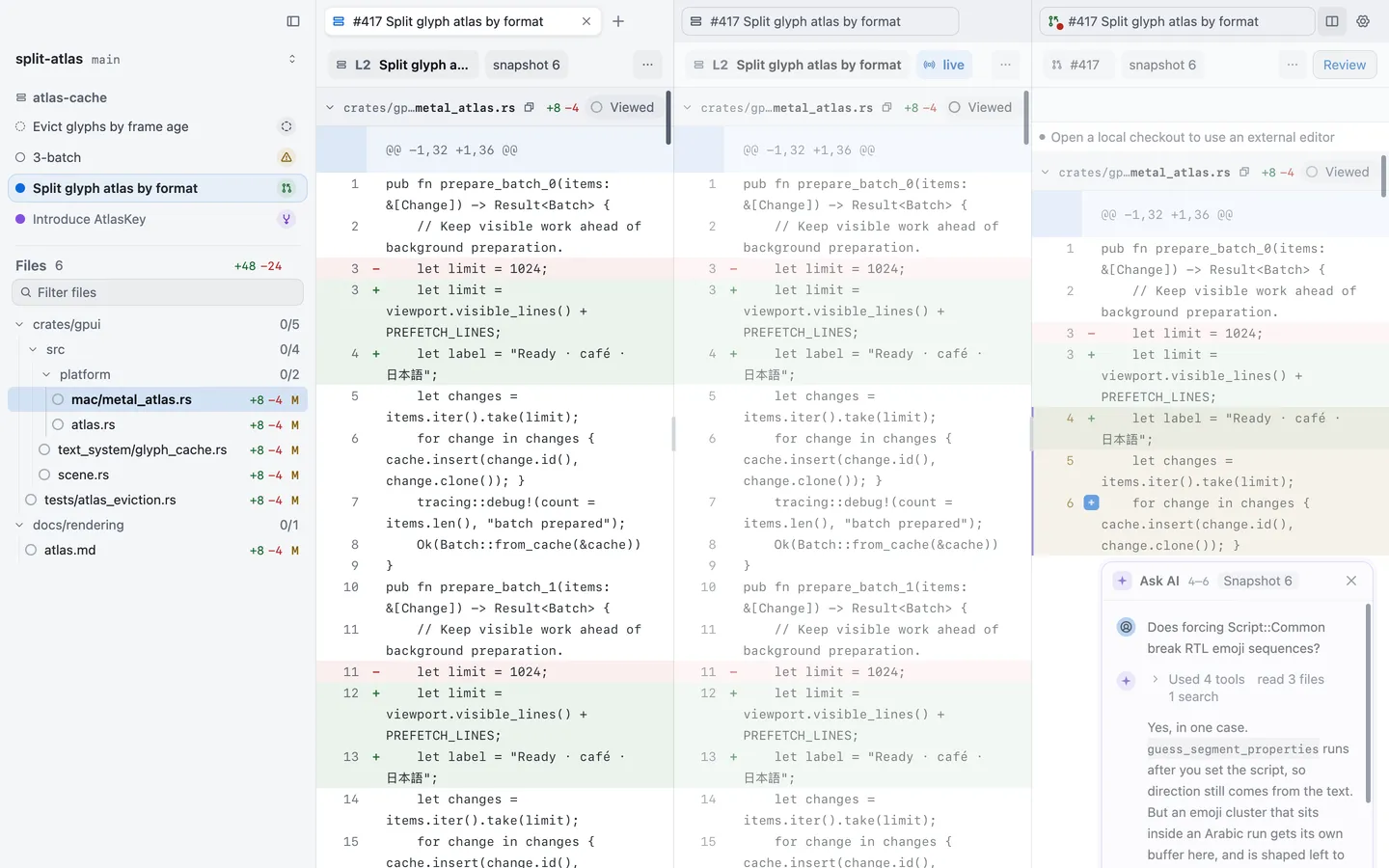
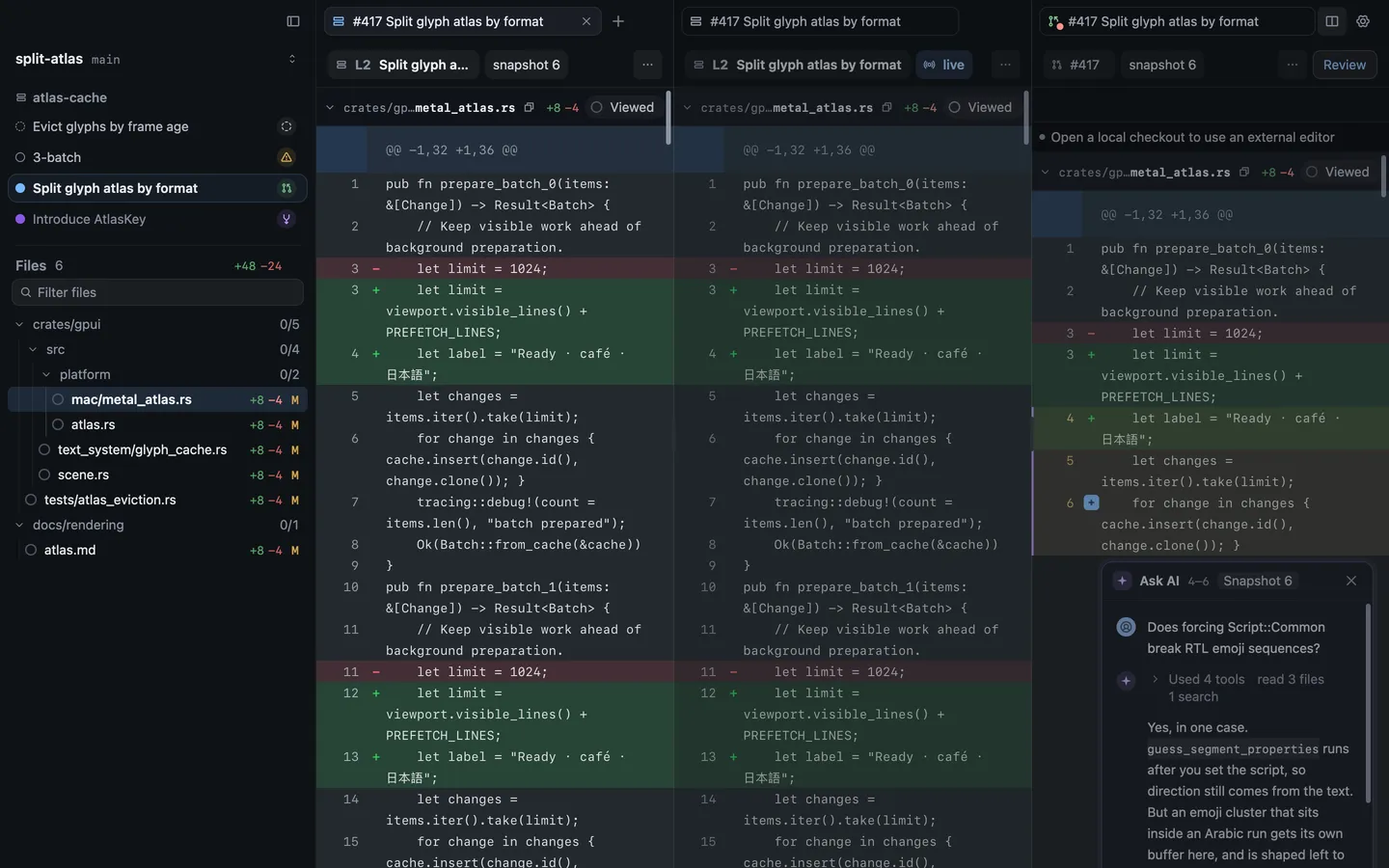
The pane button at the end of each tab strip has the same commands, plus Merge all panes, which puts every tab back in one pane, and Close pane. Settings › Appearance › Focused pane chooses how Revue marks the pane you’re in.
Move and resize panes
Section titled “Move and resize panes”⌥⌘ with an arrow moves to the pane in that direction, and ⌘] and ⌘[ step through them in order. Drag the line between two panes to resize them, or use Pane › Resize Pane. Pane › Maximise Pane (⇧⌘↩) shows the current pane alone until you choose it again, and Pane › Equalise Panes gives every pane the same room.
| Action | Key |
|---|---|
| Split right | ⌘\ |
| Split down | ⇧⌘\ |
| New empty pane | ⌥⌘N |
| Select next pane | ⌘] |
| Select previous pane | ⌘[ |
| Maximise pane | ⇧⌘↩ |
| Equalise panes | ⌃⌘= |
| Make pane wider | ⌃⌘→ |
| Make pane narrower | ⌃⌘← |
Restore at launch
Section titled “Restore at launch”When you quit, Revue saves your windows, panes and tabs, with their sizes and places. The next time it opens, they come back as they were. Each tab shows a placeholder until its checkout or pull request is read again, and a tab that can’t be reopened says why, with Retry.