Use Revue with Codex
Codex can read the comments you write in Revue, change the code and answer in each thread, as Claude Code does. It
takes a short section in the checkout’s AGENTS.md and one line of Codex configuration. Codex can also run Revue’s AI
review instead of Claude Code.
What’s different from Claude Code
Section titled “What’s different from Claude Code”Codex has no hooks, so there’s no plugin to install and Revue can’t follow it turn by turn:
- Codex reads your comments when you ask it to, not when a turn ends.
- A turn is recorded as a checkpoint only when Codex runs
revue checkpoint. - Review Claude’s Edits and the Claude Code terminal features don’t apply.
Everything else works the same way: comments, Send, Addressed and Resolve. Review Claude Code’s work covers them, with Codex in place of Claude.
Codex runs the revue command, so install it first with Revue › Install Command Line Tool, and open the checkout
in Revue.
Add the AGENTS.md block
Section titled “Add the AGENTS.md block”Add this section to the AGENTS.md at the root of the checkout:
## Review comments
The user reviews changes in Revue. At the start of a task run `revue agent attach --agent codex --name Codex`.When asked to address review comments, run `revue comments`, make each change, then reply with the text on stdinthrough a quoted heredoc, never in double quotes:
```shrevue reply <id> <<'EOF'<what you changed and where>EOF```
Then run `revue resolve <id>`. Ask in a reply when a comment is unclear, and never resolve a thread you did notaddress.
revue resolve marks a thread Addressed. Only you resolve it, in Revue.
Let Codex write to ~/.revue
Section titled “Let Codex write to ~/.revue”Codex’s workspace-write sandbox has to be able to write Revue’s data folder, or every revue command fails with
“Revue’s data folder is read-only here.” Add the folder’s full path to ~/.codex/config.toml, with your own home
folder in place of /Users/you:
[sandbox_workspace_write]writable_roots = ["/Users/you/.revue"]Send comments
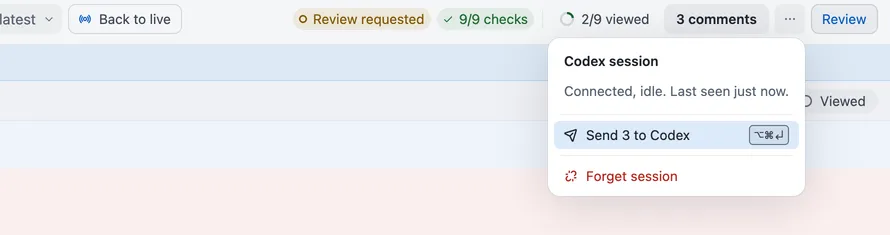
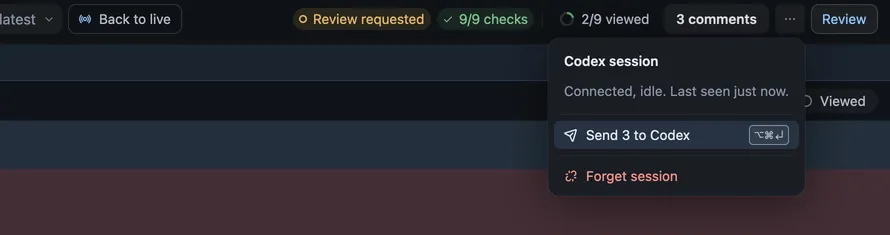
Section titled “Send comments”Once Codex has run revue agent attach, its session shows in Revue with Codex’s mark. Write comments as usual, then
send them with Send N to Codex in the context bar or Send to Codex on a comment’s card, or press
⌥⌘↩. Then ask Codex to address the review comments.
Codex for AI review
Section titled “Codex for AI review”To run AI review and Ask AI with Codex, choose Codex as the provider in
Settings › AI review. Revue runs the Codex command line tool installed on your Mac, signed in with its own account.
It doesn’t need the AGENTS.md section.
| Setting | Where | Options | Default |
|---|---|---|---|
| AI provider | Settings › AI review | Claude Code, Codex | Claude Code |
| Codex executable | Settings › AI review | Codex | |
| Codex model | Settings › AI review | None | |
| Ask AI model | Settings › AI review | None |